Introduction to Python Automated Email Sender
In today’s digital landscape, automation is a cornerstone of efficiency. One of the most versatile tools available for sending automated emails is Python. Whether you’re a developer, marketer, or business owner, leveraging Python to automate email communications can save time, reduce errors, and enhance productivity. This blog post dives deep into the intricacies of Python automated email sender tools, their applications, best practices, and how to implement them effectively.
Why Use Python for Automated Email Sending?
Python offers an unparalleled combination of flexibility, scalability, and ease of use. Here are the key reasons why Python stands out as a preferred choice for sending automated emails:
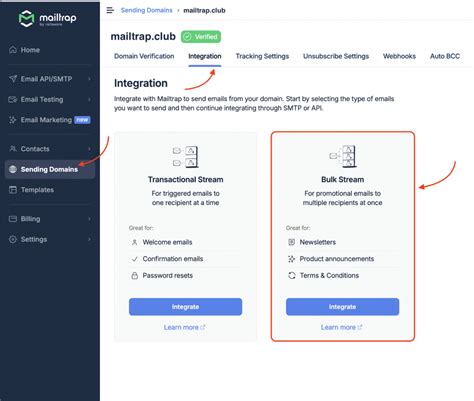
- Open-source libraries: Python’s rich ecosystem includes libraries like SMTP, smtplib, and MIME that support robust email automation.
- Customizability: Developers can tailor scripts to suit specific business needs, from sending simple notifications to complex transactional emails.
- Integration capabilities: Python can seamlessly integrate with databases, APIs, and cloud services, enabling end-to-end automation.
- Scalability: Whether you’re sending a few emails or thousands, Python scripts can handle large volumes efficiently.
Key Libraries and Tools for Python Automated Email Sender
To harness the power of Python for email automation, you’ll need to familiarize yourself with the most commonly used libraries and tools:
- smtplib: A built-in Python library used for sending emails via SMTP servers.
- email (MIME): Used to create, format, and send complex email messages, including attachments and HTML content.
- PyEmail: A third-party library that simplifies the creation of HTML emails and supports advanced formatting.
- Yagmail: A lightweight and user-friendly library designed for sending emails via Gmail or other providers with minimal configuration.
- SendGrid API: A cloud-based email delivery service that integrates with Python via its API for scalable and reliable email sending.
Step-by-Step Implementation of Python Automated Email Sender
Implementing an automated email sender in Python involves several key steps. Below is a detailed breakdown of the process:
- Set up your environment: Install Python on your machine or use a cloud-based platform like AWS, Google Cloud, or Azure.
- Choose a library: Select the appropriate library based on your specific requirements (e.g., smtplib for basic emails, Yagmail for Gmail-specific automation, SendGrid for scalable solutions).
- Configure credentials: Set up authentication details like SMTP server address, port, username, and password securely. For Gmail, consider using OAuth2 for secure access.
- Create email content: Craft the email body using plain text or HTML. For HTML emails, ensure responsive design and compatibility across devices.
- Write the script: Use the selected library to write a Python script that initiates the email sending process. Include error handling and logging for debugging and monitoring.
- Test the script: Run the script with a sample email to verify functionality, then scale up as needed.
- Schedule automation: Use tools like cron jobs, Windows Task Scheduler, or cloud-based services like AWS Lambda to automate the sending process.
Best Practices for Python Automated Email Sender
To ensure successful and compliant email automation, follow these best practices:
- Compliance with CAN-SPAM Act: Ensure all emails include a valid sender address, subject line, and opt-out mechanism.
- Personalization: Use dynamic variables to personalize emails with recipient data (e.g., name, location, transaction info).
- Rate limiting: Avoid spamming by setting limits on the number of emails sent per hour or per day.
- Error handling: Implement robust error handling to manage issues like server outages, authentication failures, or delivery delays.
Use Cases for Python Automated Email Sender
Python automated email sender tools are versatile and can be applied across a wide range of scenarios. Here are some common use cases:
- Transactional emails: Send order confirmation, shipping updates, or password reset emails automatically.
- Marketing campaigns: Automate the sending of newsletters, promotional emails, or targeted content based on user behavior.
- Customer support: Use automated emails to notify clients of ticket updates, support requests, or service outages.
- Internal communications: Streamline internal processes by sending automated reminders, meeting schedules, or workflow notifications.
Troubleshooting Common Issues in Python Automated Email Sender
Despite its robustness, Python automated email sender solutions can encounter issues. Here are some common problems and their solutions:
 Asset Ref: Yagmail
- Authentication errors: Verify SMTP credentials, check for expired passwords, or enable two-factor authentication if applicable.
- Delivery failures: Check for blacklisted IP addresses, update DNS records, or adjust email content to avoid spam filters.
- Attachments issues: Ensure file paths are correct, allowable size limits are respected, and encoding formats are compatible.
- Timeouts and delays: Optimize script performance by reducing payload size, using asynchronous sending, or upgrading server resources.
Comparing Python Automated Email Sender Options
When deciding on the best Python automated email sender solution, it’s important to compare the available options. Below is a comparison table of popular libraries and services:
Library/Service Use Case Scalability Ease of Use Cost smtplib Basic email sending Low to mid Medium Free email (MIME) Complex email formatting Mid High Free Yagmail Gmail-specific automation Low to mid High Free PyEmail HTML email creation Mid Medium Free SendGrid API Scalable, reliable delivery High Medium Paid (Free tier available) Tips for Enhancing Email Automation with Python
To maximize the effectiveness of your Python automated email sender, consider the following tips:
- Use templates: Create reusable email templates for consistent messaging and faster deployment.
- Integrate with CRM: Co
ect your Python scripts with CRM platforms like Salesforce or HubSpot to automate personalized communications. - Monitor performance: Use analytics tools to track open rates, click-through rates, and overall effectiveness of your email campaigns.
- Stay updated: Keep libraries and dependencies updated to ensure compatibility and security.
Conclusion
Python automated email sender tools offer a powerful combination of flexibility, scalability, and efficiency. Whether you’re automating transactional emails, marketing campaigns, or customer support communications, Python’s rich ecosystem of libraries and services provides a robust foundation for your automation needs. By following best practices, implementing the right libraries, and leveraging use cases effectively, you can transform your email communication strategy and drive better outcomes.
As you continue to explore the world of automation, remember that Python’s adaptability makes it a reliable ally in any digital endeavor. Start experimenting, stay informed, and unlock the full potential of Python for your email automation needs.

