Understanding Email Marketing Automation
Email marketing automation is a powerful tool that allows businesses to streamline their communication with customers while improving efficiency and boosting conversions. It involves using software to send pre-written messages automatically to subscribers based on specific triggers or actions. Whether you’re a small startup or a large enterprise, automation can help you maintain consistent communication, nurture leads, and enhance customer engagement.
Why Email Marketing Automation Matters
With the average person receiving over 100 emails per day, standing out in the inbox is more challenging than ever. Automation allows you to:
- Save time by reducing manual tasks
- Personalize messages based on user behavior
- Increase engagement by sending timely content
- Improve conversion rates through targeted messaging
These benefits make automation a critical component for any effective marketing strategy.
Email Marketing Automation Examples Across Industries
Retail and E-commerce
One of the most common email marketing automation examples is the use of abandoned cart campaigns. Retailers often send reminders to customers who leave items in their cart without completing the purchase. These messages typically include:
- A photo of the abandoned item
- A discount or incentive to complete the purchase
- A clear call-to-action button
Another example is post-purchase follow-up emails. These messages are sent after a customer completes a transaction and often include:
- Thank-you notes
- Product usage tips
- Links to related products or accessories
In the e-commerce space, automation also supports seasonal campaigns. For instance, during holidays, businesses use pre-scheduled messages to promote limited-time offers or introduce new products.
B2B and SaaS
In the B2B sector, lead nurturing campaigns are a key automation strategy. When a user signs up for a webinar or downloads a whitepaper, automation tools can send a series of emails over a set period to:
- Introduce the brand
- Provide content relevant to their interests
- Encourage engagement with additional resources
For SaaS companies, onboarding emails are another effective example. New subscribers receive a welcome email series that introduces the platform, highlights key features, and offers support options. These emails are often triggered as soon as a user signs up and continue over the first few days or weeks.

Health and Fitness
Health and fitness brands use email marketing automation to encourage engagement and build long-term relationships. For instance, after a user signs up for a fitness program, automation can send:
- Weekly workout plans
- Nutrition advice
- Motivational messages
These messages are typically scheduled to align with the user’s program timeline, ensuring consistent communication throughout their journey.
Nonprofit and Education
Nonprofits use automation to engage donors and volunteers. For example, after a user donates to a cause, automation tools can send:
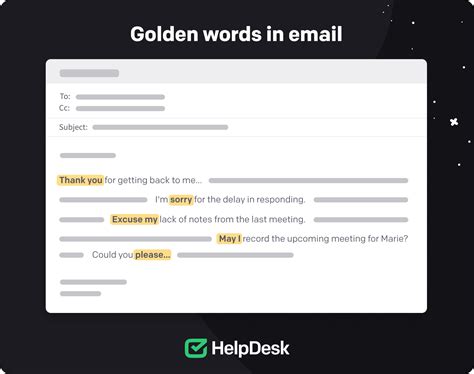
- Thank-you messages
- Updates on how their donation is being used
- Invitation to upcoming events
Education institutions use automation to keep students and parents informed. Automated emails might include:
- Course registration reminders
- Grade updates
- Event notifications
These examples illustrate how different sectors can leverage automation to improve communication and engagement.
How to Set Up Email Marketing Automation
Step 1: Choose the Right Automation Tool
The first step in setting up email marketing automation is selecting a platform that aligns with your business needs. Some popular options include:
- Mailchimp: Great for small businesses, with user-friendly templates and analytics
- HubSpot: Offers advanced automation for lead nurturing and CRM integration
- ActiveCampaign: Known for advanced segmentation and behavior-based triggers
- Sendinblue: Provides robust email marketing and SMS capabilities
Consider factors like budget, scalability, and the features you need before making a decision.
Step 2: Define Your Goals
Before implementing automation, clarify your objectives. Common goals include:
- Increasing sales
- Improving customer retention
- Boosting engagement
Having a clear understanding of your goals will help you design effective automation workflows.
Step 3: Identify Your Audience Segments
Segmentation is key to successful automation. Group your subscribers based on:
- Demographics
- Purchase history
- Behavior on your website
For example, new subscribers, frequent buyers, or inactive users can each receive tailored messages.
Step 4: Create Content and Set Triggers
Develop content that aligns with your audience’s interests and set specific triggers for each automation workflow. Triggers can include:
- Email opens
- Website visits
- Button clicks
Ensure your content is relevant and engaging to maximize the impact of your automation.
Step 5: Monitor and Adjust
Once your automation is live, monitor performance metrics like open rates, click-through rates, and conversions. Use this data to refine your strategies and improve results over time.
Best Practices for Effective Email Marketing Automation
Personalization Matters
Personalizing your emails can significantly improve engagement. Use data such as:
- Customer names
- Purchase history
- Website behavior
to tailor your messages. For instance, instead of a generic greeting, use a personalized subject line like, “Hi [Name], here’s a special offer just for you.”
Timing Is Everything
Choosing the right time to send your emails can boost open rates. Analyze your audience’s behavior to determine optimal send times, whether it’s early morning, midday, or evening.
Provide Value
Always ensure your emails provide value to the recipient. Whether it’s educational content, exclusive offers, or actionable tips, your audience should feel that the email is worth their time.
Avoid Over-Automation
While automation is powerful, avoid sending too many messages too frequently. Over-automation can lead to subscriber fatigue and decreased engagement.
Test and Optimize
Regularly test different aspects of your automation campaigns, such as subject lines, content, and send times. Use A/B testing to identify what works best and optimize your campaigns accordingly.
Advanced Email Marketing Automation Strategies
Behavioral Triggers
Behavioral triggers allow you to respond to specific actions taken by your subscribers. Examples include:
- Welcome series for new subscribers
- Re-engagement campaigns for inactive users br>• Product usage alerts for SaaS platforms
These triggers enable you to send messages at the exact moment when the subscriber is most likely to engage.
Dynamic Content
Dynamic content allows you to customize messages based on user preferences or data. For example, you can show different content to users based on their location, interests, or past behavior. This level of customization enhances the user experience and increases engagement.
Integration with CRM
Integrating your email automation with a CRM system allows you to synchronize data and streamline workflows. With CRM integration, you can:
- Track customer interactions
- Update customer records automatically
- Improve targeting and personalization
This integration is particularly beneficial for B2B companies and SaaS platforms.
Multi-Cha
el Automation
Multi-cha
el automation extends your reach beyond email. Consider integrating with platforms like:
- Social media
- SMS
to reach customers through their preferred communication cha
els.
Case Studies: Real-World Email Marketing Automation Success
Case Study 1: E-commerce Brand Boosts Sales with Abandoned Cart Campaigns
A mid-sized e-commerce brand implemented an abandoned cart campaign using automation. They sent a reminder email within 24 hours of cart abandonment with a 10% discount. The result? A 25% increase in completed purchases and a 15% boost in overall revenue.
Case Study 2: SaaS Company Improves Onboarding with Email Series
A SaaS startup created a 5-email onboarding series triggered automatically after sign-up. The emails included step-by-step guides, videos, and support links. Their customer retention rate increased by 30% within the first 90 days.
Case Study 3: Nonprofit Increases Donor Engagement with Follow-Up Campaigns
A nonprofit organization used automation to send a series of follow-up emails after a donation. The emails included updates on how funds were being used and invitations to upcoming events. Donor retention increased by 40%, and event attendance rose by 25%.
Case Study 4: Fitness Brand Enhances Member Retention with Weekly Workout Plans
A fitness brand sent personalized workout plans and nutrition advice via automated emails each week. Member retention improved by 20%, and engagement with the brand’s content increased significantly.
Tools and Resources for Email Marketing Automation
Top Platforms for Automation
- Mailchimp: Affordable, intuitive, and great for begi
ers - HubSpot: Comprehensive CRM integration and advanced automation features
- ActiveCampaign: Powerful segmentation and behavioral targeting
- Sendinblue: Affordable with robust email and SMS capabilities
These platforms offer a range of features to suit different business sizes and needs.
Best Content Creation Resources
- Canva: For creating visually appealing email graphics
- Grammarly: For ensuring clear and professional communication
- HubSpot’s Content Ideas Generator: For content inspiration
Utilizing these tools can help you produce high-quality, engaging content efficiently.
Conclusion
Email marketing automation is an essential strategy for boosting engagement, improving conversions, and saving time. By leveraging the right examples and best practices, businesses across industries can create effective campaigns that resonate with their audiences. Whether you’re in retail, B2B, or the nonprofit sector, the power of automation lies in its ability to deliver personalized, timely content to your subscribers. Start experimenting with automation today to unlock new growth opportunities for your business.

