What Is an SMTP Server Host?
An SMTP server host is a server that facilitates the transmission of email messages over the internet. SMTP, or Simple Mail Transfer Protocol, is the standard protocol used for sending and receiving emails. When you send an email, your email client co
ects to an SMTP server host that acts as a relay, ensuring your message reaches the recipient’s inbox.
How SMTP Server Host Works
The operation of an SMTP server host is simple yet complex. Here’s a breakdown of the key steps involved:
- Email submission: The user’s email client sends the message to the SMTP server via port 587 or 25.
- Message routing: The SMTP server host determines the recipient’s domain and forwards the message to the appropriate mail server.
- Delivery confirmation: Once the recipient’s server accepts the message, the SMTP server host sends a confirmation back to the sender.
Choosing the Right SMTP Server Host
Selecting the correct SMTP server host is critical for ensuring reliable email delivery and minimizing bounce rates. Here are some factors to consider:
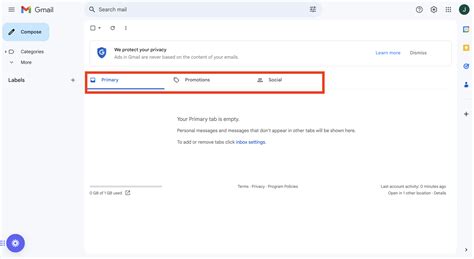
- Reputation: Choose a host with a strong reputation for deliverability. A reputable host reduces the risk of your emails being flagged as spam.
- Security: Ensure the host offers robust security features like SPF, DKIM, and DMARC to protect against phishing and spoofing attacks.
- Scalability: Select a host that can accommodate your business’s growth. A scalable solution supports increased email traffic without compromising performance.
- Support: Look for providers offering 24/7 customer support. Issues can arise at any time, and quick resolution is essential.
Common SMTP Server Host Providers
There are several popular SMTP server host providers that cater to different business needs. Below is a list of some of the most reputable options:
- SendGrid: Offers robust API integration and analytics for tracking email performance.
- Mailgun: Provides flexible SMTP services with a user-friendly interface and powerful API.
- Amazon SES: A cost-effective solution for businesses already using AWS infrastructure.
- SMTP.com: Known for high deliverability rates and excellent customer support.
Configuring Your SMTP Server Host
Setting up your SMTP server host requires careful attention to detail. Here’s a step-by-step guide to configuring your server host:
- Access your email client settings: Navigate to the email client or server configuration panel where you can input SMTP server details.
- Enter server details: Input the SMTP server host address, port number (usually 587 for TLS or 25 for SSL), and authentication credentials (username and password).
- Enable encryption: Choose TLS or SSL/TLS encryption to secure your communication.
- Test the co
ection: Send a test email to verify that your configuration works correctly.
Troubleshooting Common Issues with SMTP Server Host
Even the best SMTP server host can encounter issues. Here are some common problems and their solutions:

- Email bounce: If emails are bouncing, check the recipient’s email address for errors or verify that the recipient server is accepting messages.
- Authentication failure: Ensure that your credentials are correct and that you’re using the right port and encryption method.
- Blocked IP: If your IP is blocked, contact your SMTP host provider to resolve the issue or update your IP address.
- Delivery delays: Delivery delays can occur due to server congestion or network issues. Contact your host provider for assistance.
Best Practices for Using an SMTP Server Host
Adhering to best practices can significantly improve your email deliverability and user experience. Here are some recommended strategies:
- Monitor email performance: Regularly track metrics like open rates, click-through rates, and bounce rates to identify areas for improvement.
- Avoid spam triggers: Use clear subject lines and avoid using spammy language or excessive punctuation.
- Segment your audience: Personalize your emails by segmenting your audience based on preferences or behavior.
- Update contact lists: Remove inactive or invalid email addresses regularly to maintain a healthy sender reputation.
The Role of SMTP Server Host in Email Marketing
SMTP server hosts play a pivotal role in email marketing campaigns. Understanding their function can help you optimize your campaigns for better results.
Email Marketing and Deliverability
Deliverability is the cornerstone of effective email marketing. An SMTP server host ensures that your marketing emails reach recipients’ inboxes. Here’s how it affects your marketing efforts:
- Authentication protocols: Implement SPF, DKIM, and DMARC to authenticate your emails and reduce the risk of being marked as spam.
- Rate limiting: Be aware of rate limits imposed by your host provider; exceeding them can affect your campaign’s effectiveness.
- Email content: Focus on creating engaging content that resonates with your audience, as this impacts open rates and conversions.
Choosing an SMTP Server Host for Marketing Campaigns
When selecting an SMTP server host for marketing, additional factors come into play. Consider the following:
- Campaign volume: Choose a host that can support your campaign volume without throttling or delays.
- Analytics: Look for hosts offering analytics tools to measure campaign performance in real-time.
- Compliance: Ensure the host complies with email marketing regulations like GDPR or CAN-SPAM.
Advanced Configuration Options for SMTP Server Host
For more advanced users, there are additional configuration options that can enhance performance and security.
Custom DNS Settings
Custom DNS settings can be configured to improve routing efficiency and optimize server performance. These settings include MX records, CNAME records, and A records, which can be adjusted to align with your infrastructure.
Rate Limiting and ThrottlingSendGrid, Mailgun, Amazon SES, and SMTP.com provide options for managing rate limits. Understanding these options helps prevent email delivery issues due to high volume.
SSL/TLS Encryption OptionsDifferent encryption protocols (SSL, TLS) are available. Choosing the right one depends on your security requirements and compatibility with recipient servers.
Integration with Email ClientsAdvanced integration options allow seamless co
ectivity with email clients like Outlook, Gmail, or Thunderbird. These integrations may require additional configuration steps or API calls.
Security Considerations in SMTP Server Host
Security is paramount when using an SMTP server host. Protecting sensitive information and preventing unauthorized access is critical.
Authentication MechanismsImplement authentication protocols like SPF, DKIM, and DMARC to secure your emails and reduce spoofing risks.
Encryption ProtocolsChoose encryption protocols like SSL or TLS to encrypt data in transit. These protocols protect sensitive information from interception.
Monitoring and LogsRegularly review logs and monitoring tools to detect anomalies or unauthorized access. Monitoring helps maintain a secure communication environment.
Future Trends in SMTP Server Host
As technology evolves, so do the trends in SMTP server host usage. Staying informed about the latest developments helps you adapt your strategies.

AI-Driven Email DeliveryAI-driven solutions are emerging that predict optimal delivery times and improve spam filtering.
Cloud-Based SMTP ServicesCloud-based SMTP services are becoming more popular, offering scalability, flexibility, and cost-efficiency.
Enhanced Security ProtocolsNew security protocols are being developed to combat emerging threats, ensuring better protection for users.
Compliance UpdatesRegulatory changes continue to evolve, requiring constant updates to compliance policies and procedures.
In conclusion, understanding the role of an SMTP server host is essential for ensuring reliable email delivery and maintaining a secure communication environment. Whether you’re configuring a server host for personal use or managing a large-scale email marketing campaign, the right SMTP server host can make a significant difference. By selecting a reputable provider, configuring your server host correctly, and adhering to best practices, you can optimize your email deliverability and protect your communications effectively.
"seo_title": "SMTP Server Host: Essential Guide for Deliverability & Configuration

